What LogCastle can do
The entire app is now compiled C#. Startup, rendering, and scrolling all feel instant, and every tab virtualizes its message objects off-screen so memory stays flat no matter how long the session runs.
Two-way Discord connectivity per tab. Webhook forwards Palace chat to a Discord channel (per-tab URL, embed color, Test button). Relay receives messages typed in Discord back into LogCastle as inline cards with a Discord-blue accent bar — powered by the PalaceLink bot, no bot token needed.
Paste a YouTube or SoundCloud link to dock a player. Search and queue tracks without leaving chat. Auto-pauses when scrolled off-screen.
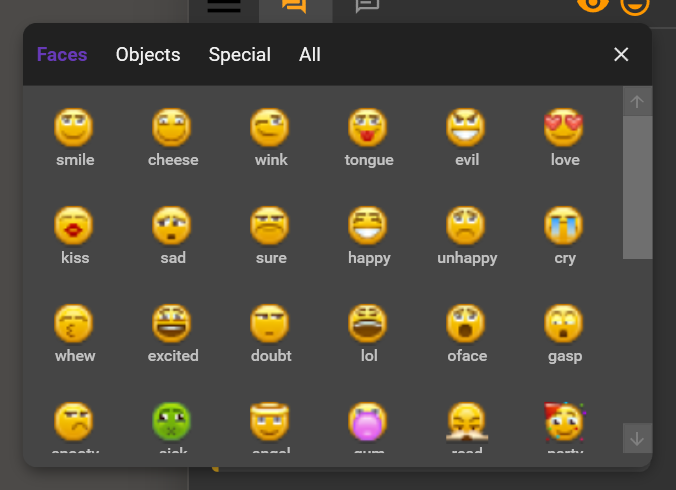
Microsoft’s Fluent UI emoji replace the legacy PNG set. Vector-rendered via SharpVectors with 125+ glyphs. The picker surfaces holiday emoji on relevant dates across 15 seasonal groups.
Right-click the translate icon to whitelist specific words, exact phrases, or opt out entire users. No more translations of “LOL” or recurring bot output. Managed via a dedicated Translation expander.
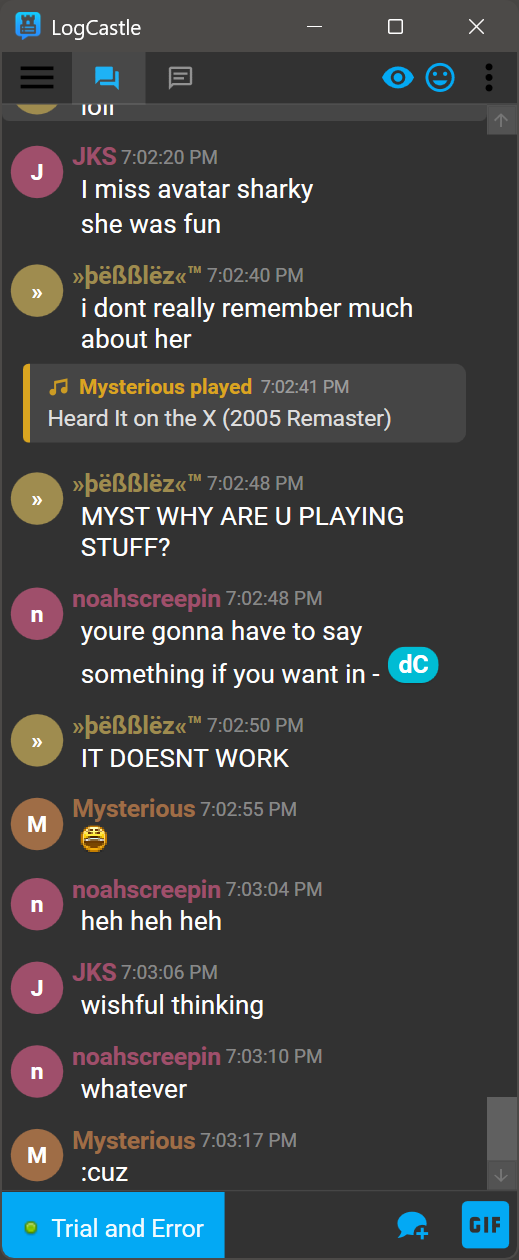
10 avatar appearances — Flat, Radial, Ring, Hexagon, Squircle, MonoInitial, Inverted, HalfBlock, PastelTint, HueShift. Pick from the Visual Effects expander; applies live to every card without reload.
Discord-style message cards with color-coded avatar bubbles, grouped consecutive messages, and inline timestamps for Chat, Whispers, and Admin.
Monitor two rooms or users side-by-side without switching tabs. Each pane scrolls independently with its own complete history.
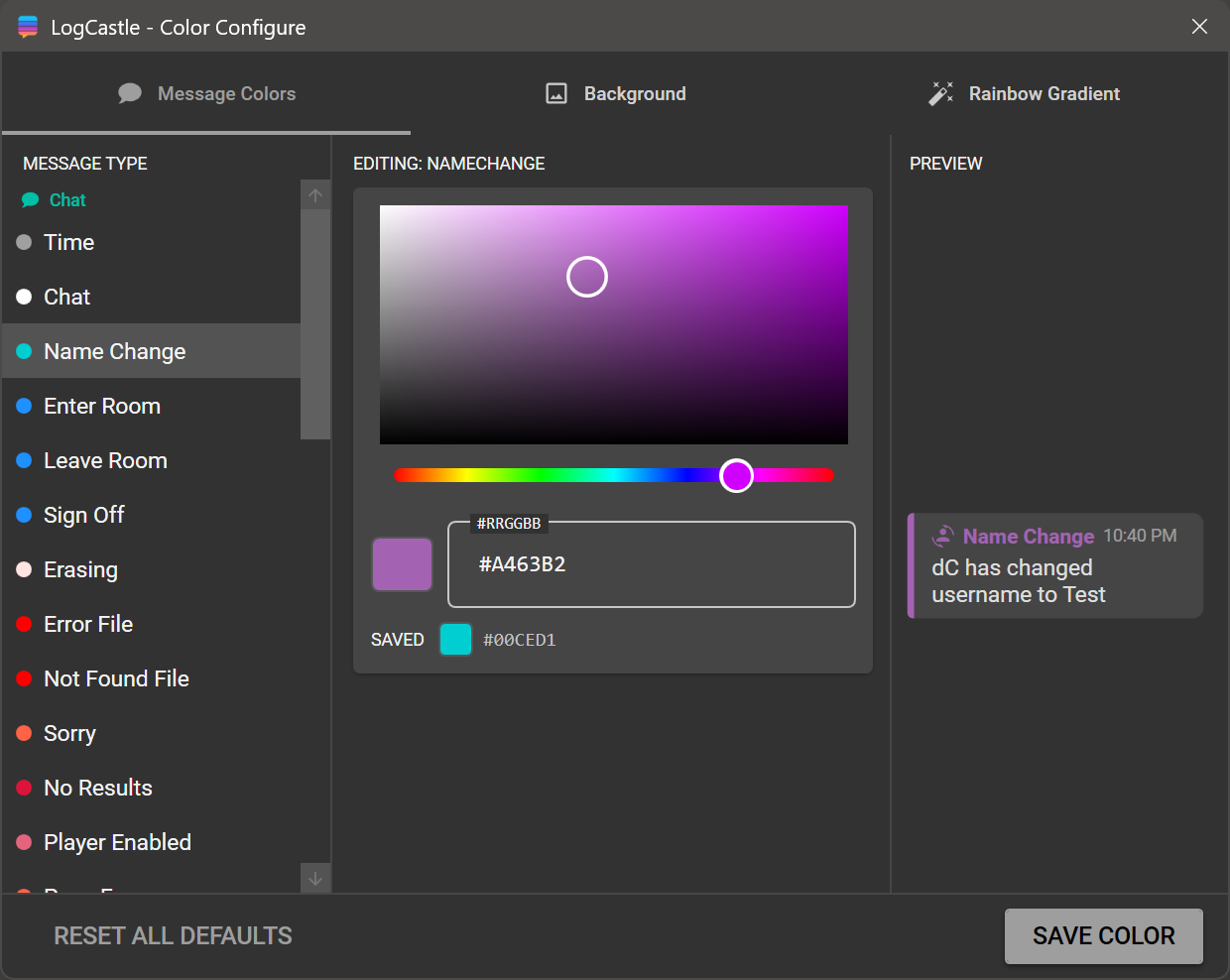
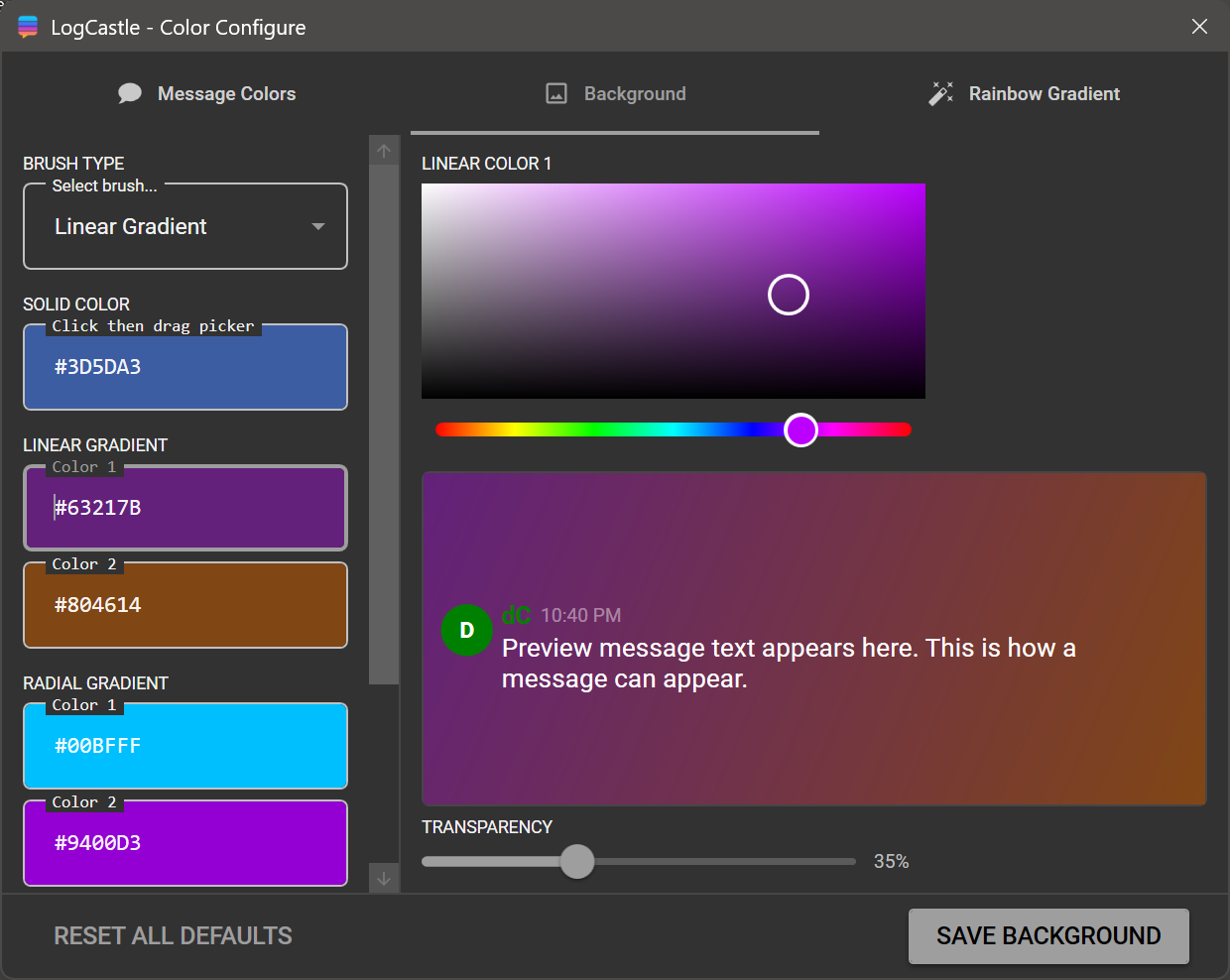
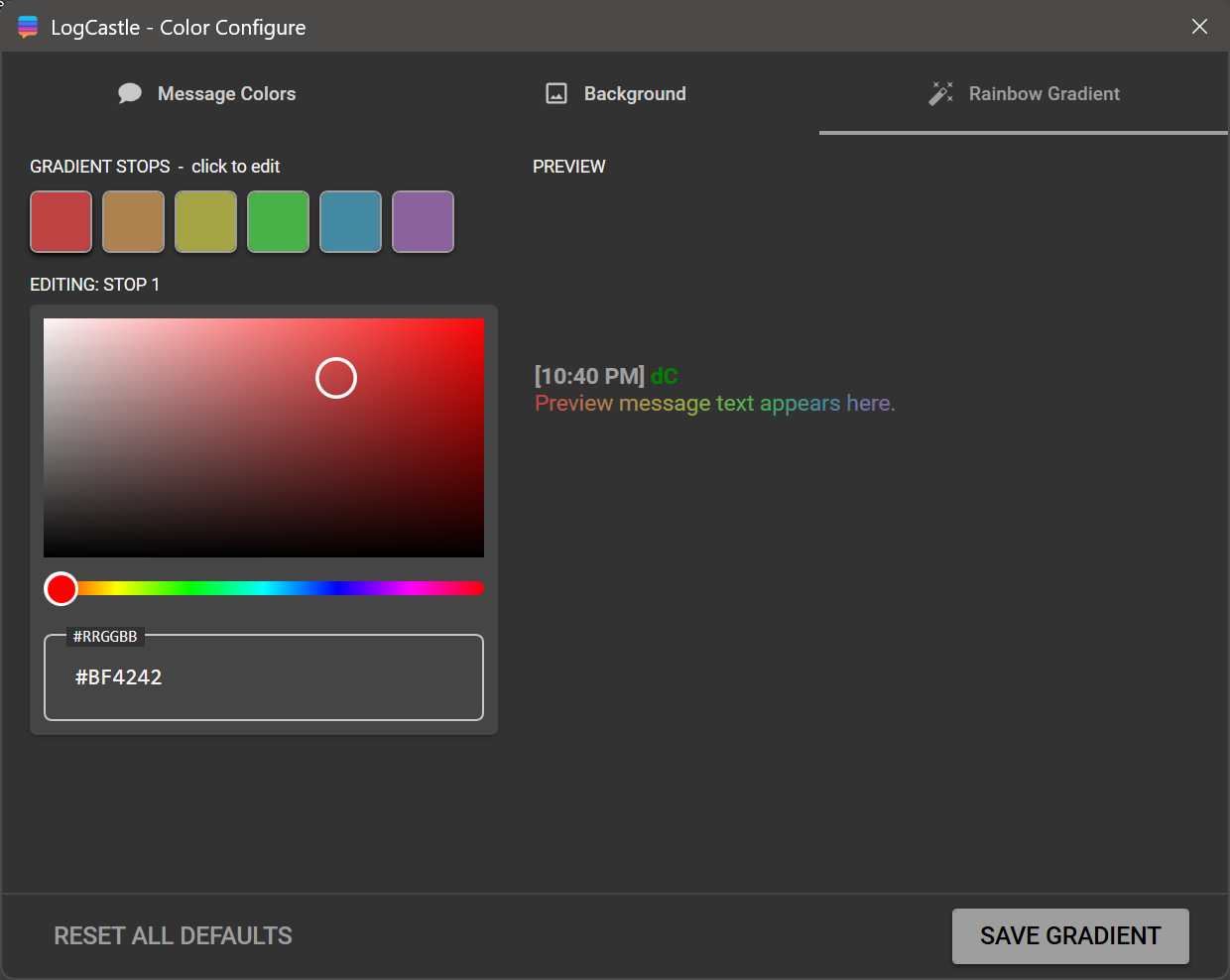
Full light and dark mode with OS sync, accent color swatch pickers, per-message-type color settings, gradient, glow, background image, and rainbow effects.
Translate incoming chat messages on the fly via Microsoft AI Translation into 50+ languages — scoped to what’s actually used in PalaceChat.
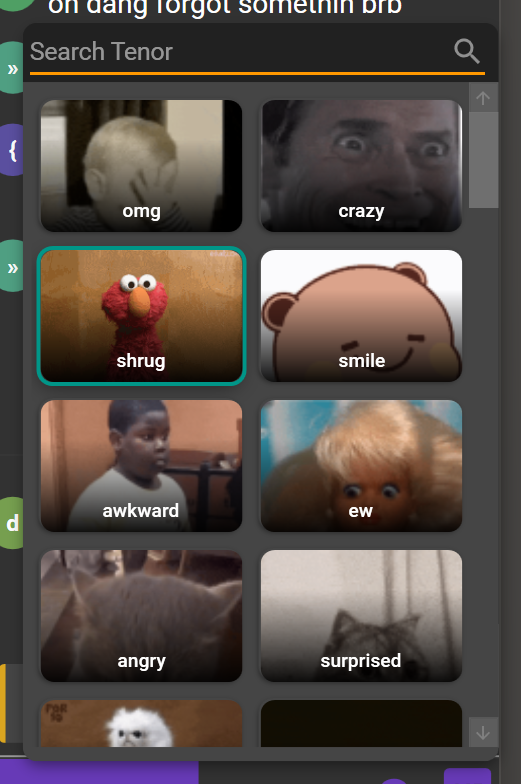
Discord-style docked emote panel with category tabs, full GIF playback via XamlAnimatedGif, and integrated Klipy search by keyword.
Type chatgpt: your question inline to get answers from GPT 4.1 mini right inside the log
— no context switching needed.
Image and GIF links render as inline expandable cards. Embedded AV player for Discord mp3, mp4, OGG, and WebM links with playback controls.
IP and geolocation lookup for active users in a dedicated Admin tab, backed by a fast two-tier SQLite and memory cache.
Keyword notification cards with optional sounds, taskbar flashing for new whispers, and a “new messages” scroll banner when not tailed to the bottom.
Tab strip scrolls left and right with arrow controls. Tabs with new activity light up their chevron in your current accent color.
Separate tabs for Chat, Whispers, Admin, and Pages — each with its own complete scrollable history per session and server connection.
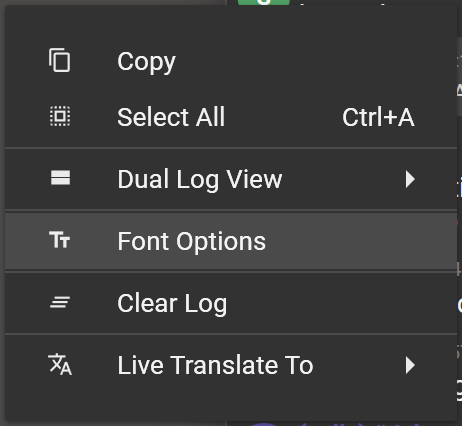
Per-tab font family, size, and weight via a Material Design font dialog. CTRL + scroll wheel resizes font per-tab without affecting others.
A peek at LogCastle in action


A peek at ColorConfigure
Release notes
Requirements & installation
Enable log streaming in PalaceChat
LogCastle reads PalaceChat’s live log file. You must enable streaming first.
- Open PalaceChat → Edit menu
- Select Options (last item)
- Open the Log tab
- Check Stream log to file
- Optionally enable other log checkboxes
Admin options optional
To use IP lookups and sign-on cards, enable operator settings in PalaceChat.
- Open PalaceChat → Edit menu
- Select Options (last item)
- Open the Operator tab
- Enable the operator settings you want visible


Connect Palace to Discord
LogCastle supports a two-way bridge between Palace chat and Discord. Set up the Webhook first if you only need to forward Palace chat out to a Discord channel. Add the PalaceLink Relay after that if you also want Discord messages to flow back into your LogCastle feed.
Discord Webhook Palace → Discord
Forward chat from any server tab to a Discord channel. Each tab carries its own webhook URL, embed color, and enable toggle.
Create a webhook in Discord
- In Discord, open the channel you want Palace chat forwarded to
- Click the gear icon to open Channel Settings
- Go to Integrations → Webhooks → New Webhook
- Click Copy Webhook URL
Configure it in LogCastle
- Open the left drawer and scroll to the Discord section
- Find your server tab in the list
- Paste the webhook URL, choose an embed color, and enable the toggle
- Click Test to verify — a test message will appear in your Discord channel
Discord Relay Discord → LogCastle
Powered by the PalaceLink bot running on bhlabs.com. Messages typed in your Discord channel appear as inline cards in every LogCastle feed connected to the same Palace server — no bot token or developer account required on your end.
Invite PalaceLink to your server
Click the button below, select the Discord server you want to add it to, and click Authorize.
Invite PalaceLinkGive PalaceLink channel access optional
By default PalaceLink can read all channels. To restrict it to a specific channel:
- Right-click the channel you want to use
- Go to Edit Channel → Permissions
- Make sure PalaceLink has Read Messages and Read Message History
Copy your Channel ID
- Open Discord User Settings → Advanced
- Enable Developer Mode
- Right-click the channel → Copy Channel ID
Save it — you’ll paste it into LogCastle in the next step.
Register in LogCastle
Connect to your Palace server, then:
- Open the left drawer and find the Discord section
- Find your server tab in the list
- Enable the Discord Relay toggle
- Check “I’m setting up the relay for this server”
- Paste the Channel ID you copied
- Enter a Server Key — any password, 8+ characters. Share it with anyone else who should be able to admin this relay
- Click Register
A confirmation snackbar appears when registration succeeds.
Test it
Type a message in your Discord channel — within a few seconds it appears in your LogCastle chat as a Discord card with a blue accent bar. Type a message in Palace chat — it appears in your Discord channel via the webhook you configured in step A.
No action required. The Discord Relay toggle is on by default. As long as PalaceLink is in the Discord server and the relay is registered once, Discord messages show up automatically in every other LogCastle user’s chat feed.
- Only one person needs to register the relay per Palace server.
- PalaceLink picks up new registrations within 30 seconds automatically.
- Only messages typed by real Discord users are relayed — LogCastle’s own webhook embeds are filtered out so you never see your own messages bounce back.
- To stop the relay, click Unregister in the Discord section.
Download LogCastle
Free for Windows 10 and 11. No account required. Download, run, and point it at your Palace log folder to get started.
Download v4.0 for WindowsThe beta channel is where early builds land before they ship to the public release. Beta builds may include experimental features and bug fixes that haven’t been fully tested yet — install at your own discretion.
Download v4.0.31.250 Beta